
Glow/Klow Calc
Mix any peptide and see exactly where to pull your syringe, or what to dial on your pen. Free, private and works offline.
On iPhone / iPad: tap the Share icon in Safari's toolbar, then choose Add to Home Screen.
-
What's in your vial?
-
How much water did you add?
mLThe bacteriostatic (BAC) water you put into the vial.
-
How much do you want each time?
1 mg = 1,000 mcg. Use the one written on your plan.
My vials
Saved setups, kept on this device only. Tap one to load it.
Draw Line
Drag the bar below, or drag on the syringe itself. Use − / + for 1 unit at a time.
| Compound | Conc. | Per unit | This draw |
|---|
See example labels
What each box means
- BAC WATER 3.0 mLThe water you added to the vial.
- VIAL 100 mgAll the peptide in the vial.
- PULL TO 7.5 UDraw the syringe up to this line. That is 0.07 mL.
- DOSE 2.5 mgHow much peptide is in that amount (2,500 mcg).
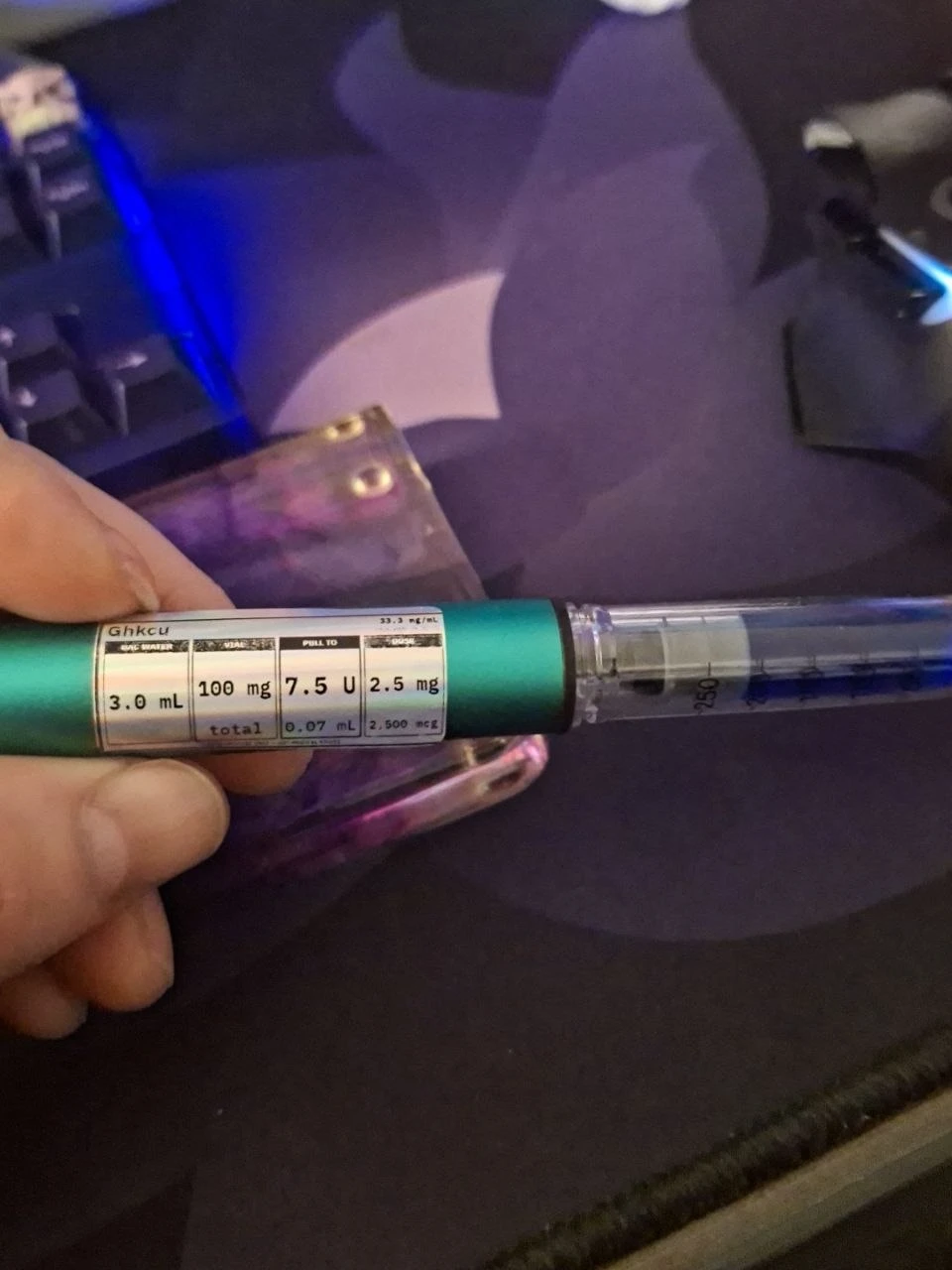
The same label printed on a Niimbot M2 and wrapped on a pen.
Niimbot M2 label printer (the small label is sized for it) →
The full-size label has the same numbers, bigger, plus the strength and syringe size. Print it on any printer or save it to your phone.
Vial Contents
Standard blend recipe - fixed per vial.
Target Draw
Pick a compound and the dose you want - the calculator tells you exactly where to pull the plunger to.
1 mg = 1,000 mcg - same amount, finer reading
Pen Calculator New
Decode Your Pen. Know Your Dose.
1. Pick your pen
Drag the black knob, the slider, or tap − / + to dial the pen. The peptide amount updates as you dial.How to use it (the simple version)
The big idea: a pen and a syringe are like two different rulers. A "unit" on your pen is not the same size as a "unit" on a syringe. PenSync turns both into mL, the real amount of liquid, so you can compare them.
- Tap your pen. Pick V2, V3, V4 or V5. The dot tells you how sure we are: Green: checked by Glow/Klow CalcYellow: typed in, not checkedRed: size unknown, PenSync won't guess Not sure, or your pen shows red? Tap CUSTOM and type what your pen's instruction paper says.
- Pick a direction. Use Pen → Syringe if you know the number on your pen. Use Syringe → Pen if you know the line on a syringe.
- Check what's in the pen. Pick Single, GLOW or KLOW, check the mg, and enter how many mL of liquid. For a blend, choose Peptide amount and the compound you want (e.g. 1 mg BPC-157). The others come along in the same ratio.
- Type your number. The pen setting, the peptide amount, or the syringe units.
- Press Calculate. The big glowing card on top is your answer. The smaller cards show the mL and mg behind it.
- Want to see how? Tap Show Math for every step.
Example: if 1 pen unit = 0.05 mL, then 10 pen units = 0.5 mL, which is the 50 line on a U-100 syringe, not the 10 line.
See red "Calibration Required"? PenSync doesn't know how much liquid one of your pen's units holds. Look in the pen's instructions for "mL per unit" or "the full pen delivers ___ mL", then enter it under CUSTOM.
See example labels
What each box means
- BAC WATER 3.0 mLThe water you added to the pen cartridge.
- SET PEN 7.5 UThe number to dial in the pen's dose window.
- SYRINGE 7.5 UThe same amount on a U-100 insulin syringe, if you use one instead.
- DOSE 2.5 mgHow much peptide is in that amount (2,500 mcg).
Niimbot M2 label printer (the small label is sized for it) →
The full-size pen label adds the strength, the pen's calibration and a check status.
Why pen units ≠ syringe units
PEN
- Pen setting (pen units or clicks)
- × calibrated mL per pen unit
- × concentration = peptide
SYRINGE
- Syringe marking (e.g. 10 units on U-100)
- ÷ 100 units per mL = 0.10 mL
- × concentration = peptide
The two only meet at volume, so PenSync always converts through millilitres. A V4 pen has a 100-unit scale, but the V4 setting that matches 0.10 mL depends on how much liquid those 100 units deliver, which may not be 1 mL. That is why the V4 calibration profile is used instead of copying the syringe number, and why an unknown calibration shows Calibration Required.
Educational calculator. It does the math for the numbers you enter and does not recommend doses. Always verify the specific pen's calibration and labeling before relying on a conversion.
Something confusing?
Tell us what was hard to find or understand. It helps make the app easier for everyone.
Send feedback